


Today, we had the opportunity to choose between different Power BI topics to focus on. I selected the topic "Advanced DAX Functions" with the goal of gaining a deeper understanding of their logic and practical application.
The task was to walk through at least two of the four functions I worked with and demonstrate how they are used. The aim is to create a learning resource that others can benefit from. The topic was developed in Power BI and published in Power BI Service.
Functions on My To-Do List
- CALCULATE and FILTER
- Use of VAR for cleaner and more readable DAX
- Conditional logic with IF, SWITCH, and COALESCE
- Context control using ALL, REMOVEFILTERS, and KEEPFILTERS
What went well
I successfully created a clear and structured learning resource in Power BI. The explanations are directly embedded into the report.
Challenges
In the given time I managed to complete the first two function groups and made progress on the third.
Working through practical use cases proved to be challenging, especially as I'm still becoming familiar with DAX. Understanding the logic behind certain functions and interpreting error messages took additional time and effort.
Current output
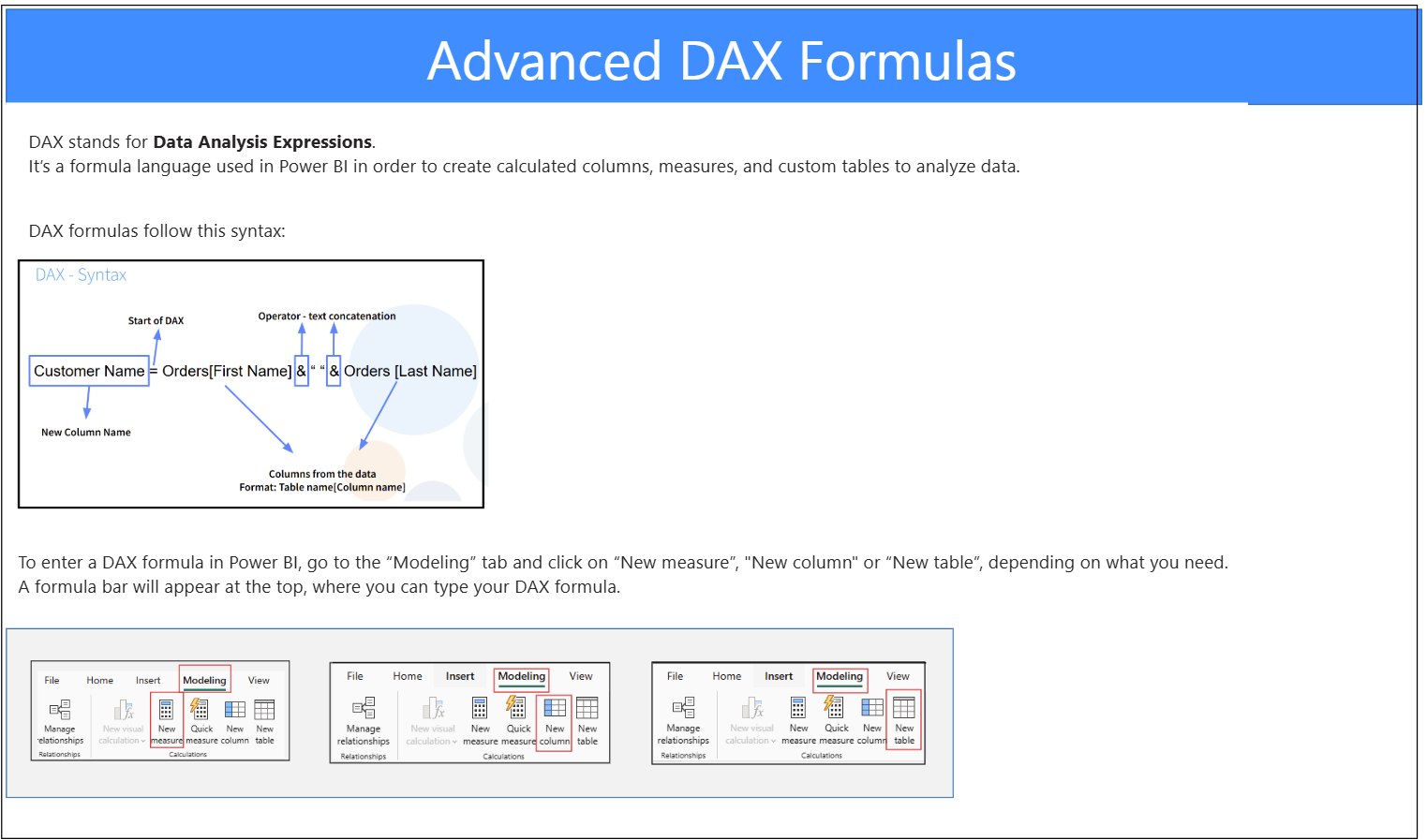
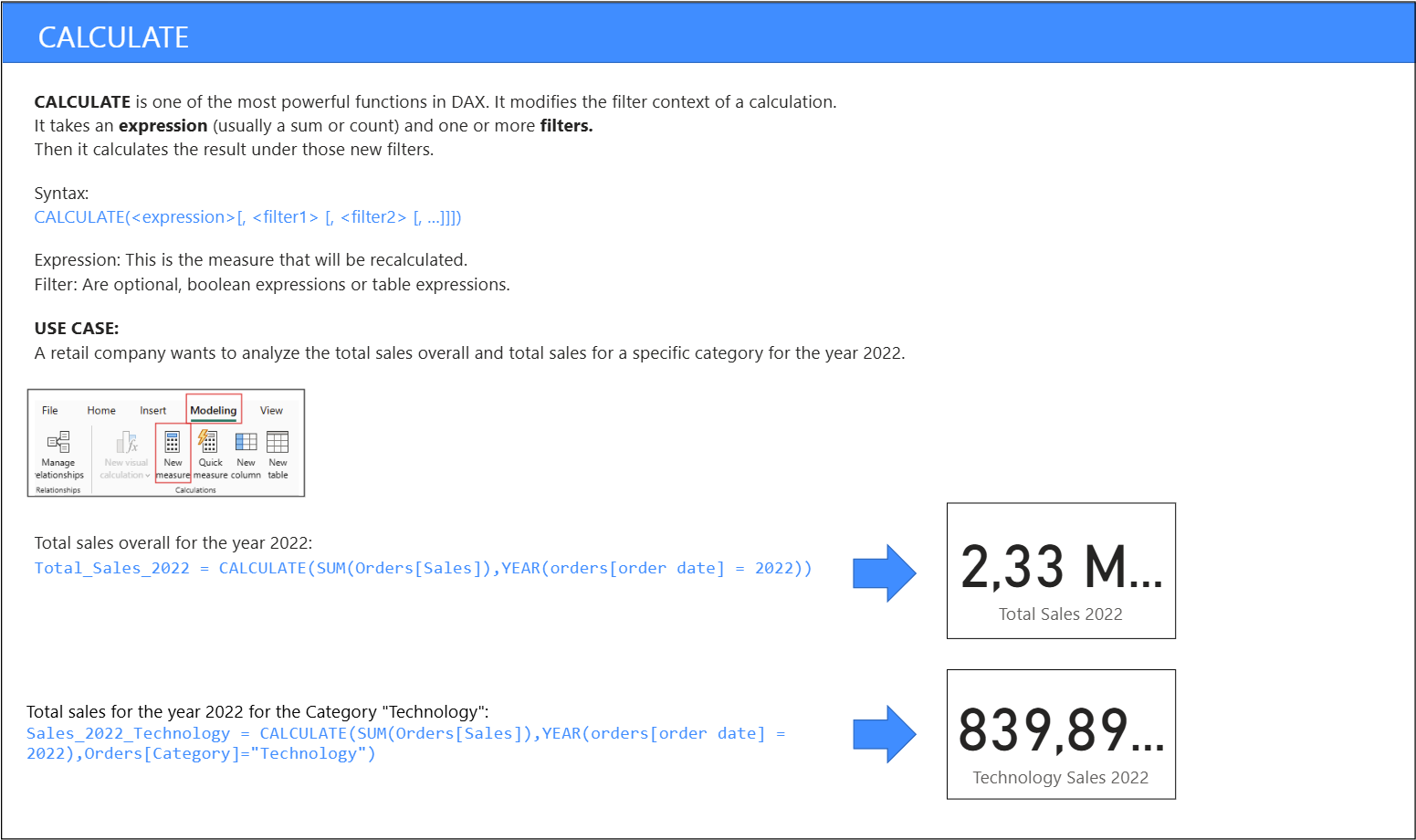
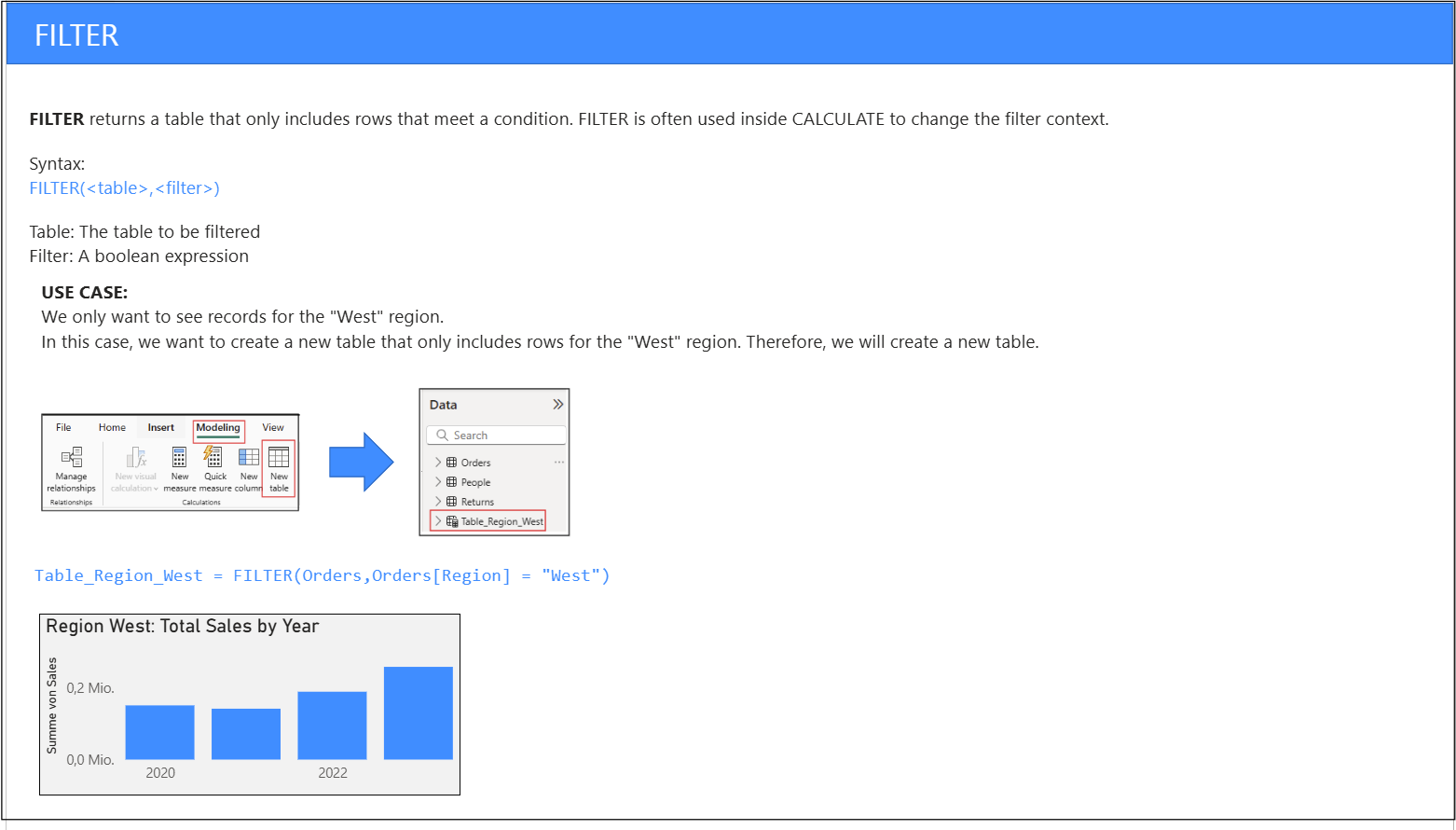
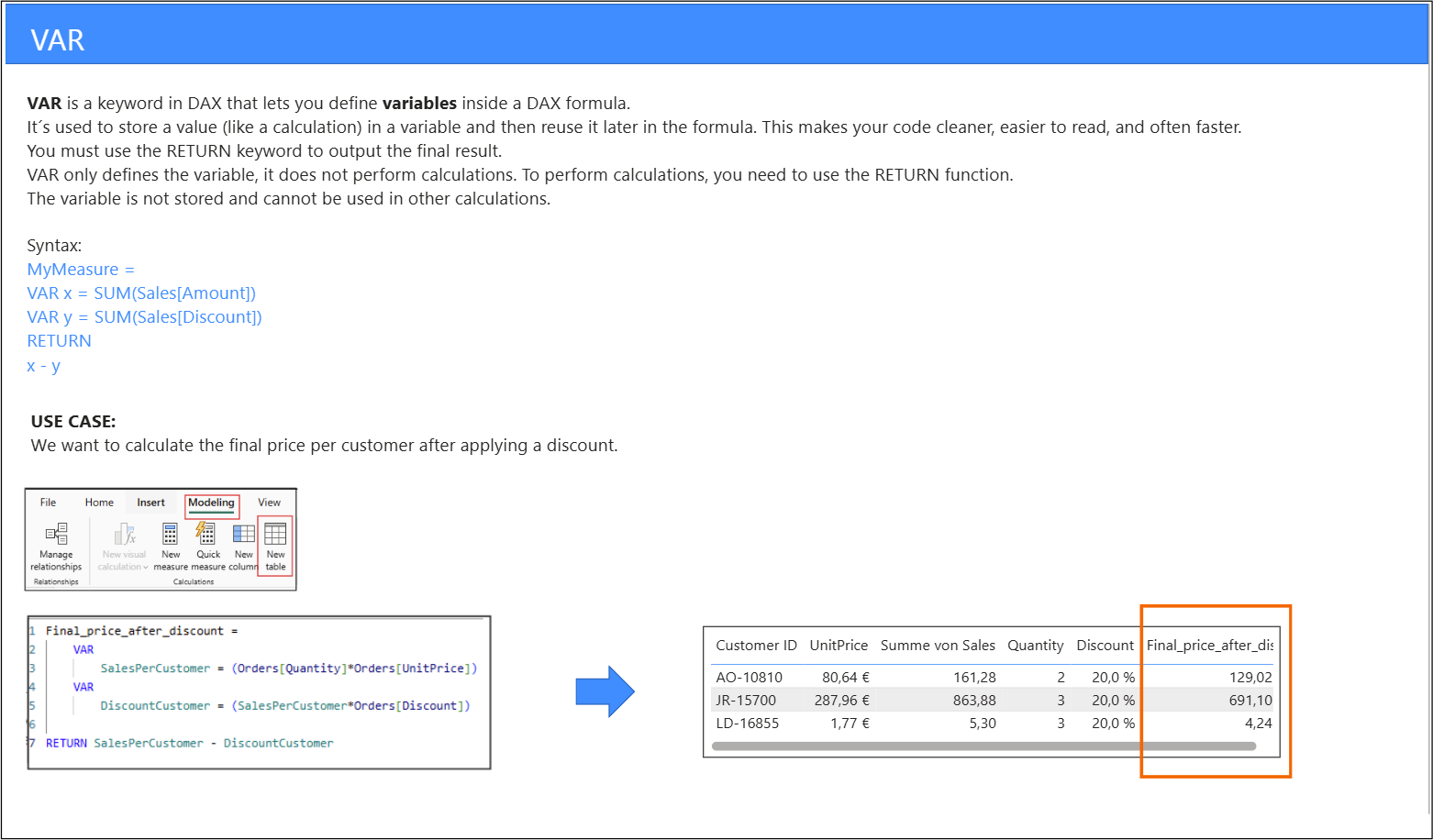
Here is the Link to the Power BI Learning Resource:

