


When we have two date fields (or date-time fields) in Alteryx and want to generate all days between them, we can use a technique called "Data Scaffolding".
This is done in Alteryx using the Generate Rows tools, found under the Preparation tab.

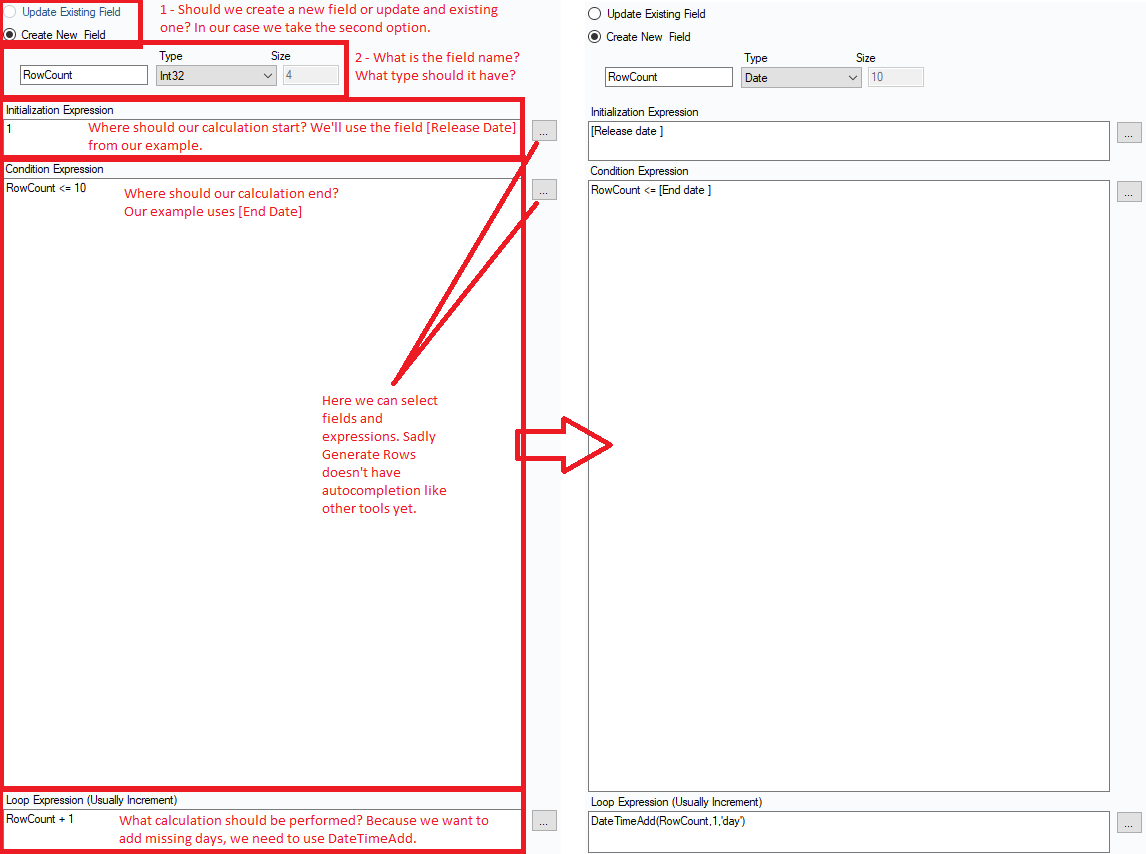
The idea is that we define a star point (Initialization Expression), and end point (Condition Expression), and a calculation that should be performed (Loop Expression).
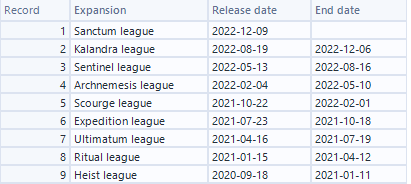
For our example, we'll take a simple data set with two date fields, [Release Date] and [End Date].
The configuration from Generate Rows would look as follows:
And the results:
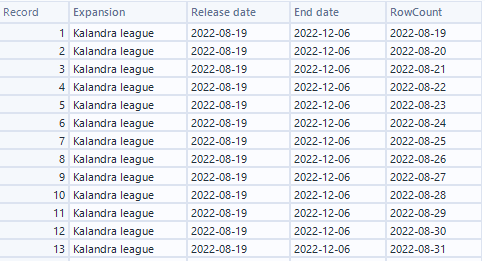
Our new [Row Count] field has a date for each day between our two original date fields.
This allows us to, for example, create line charts to showcase trends over time in software like Tableau.
Happy scaffolding!