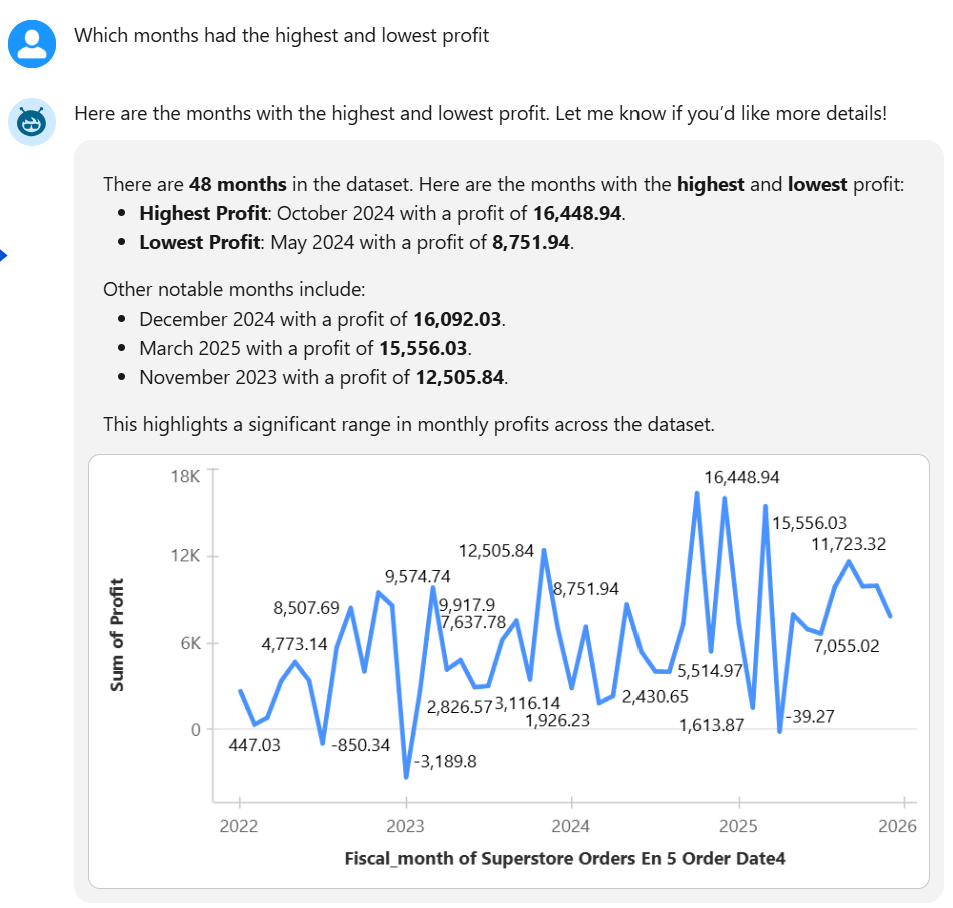
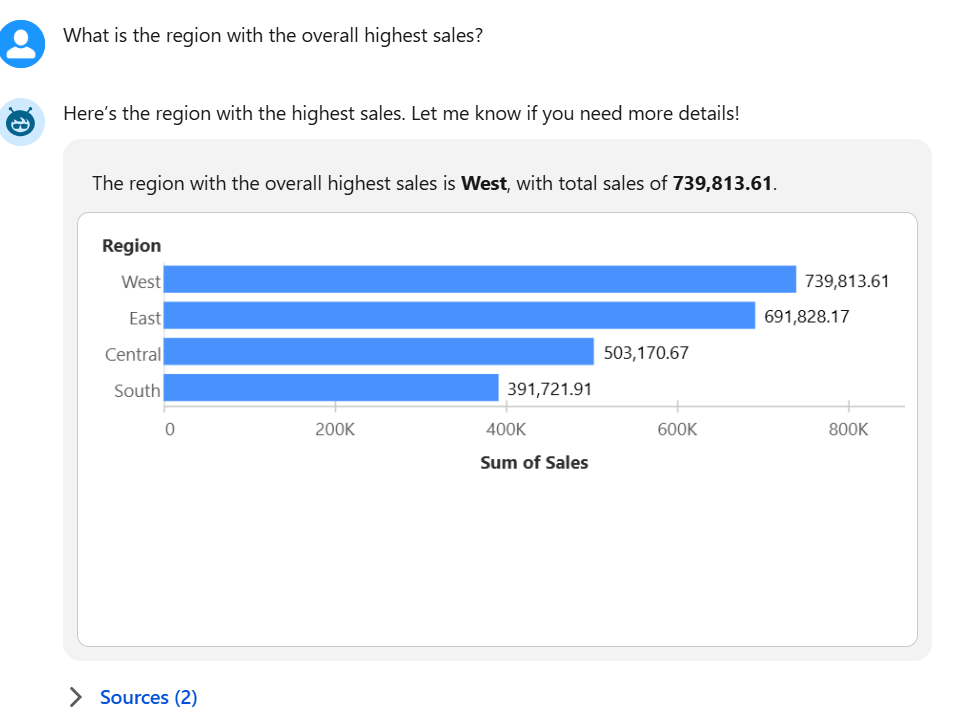
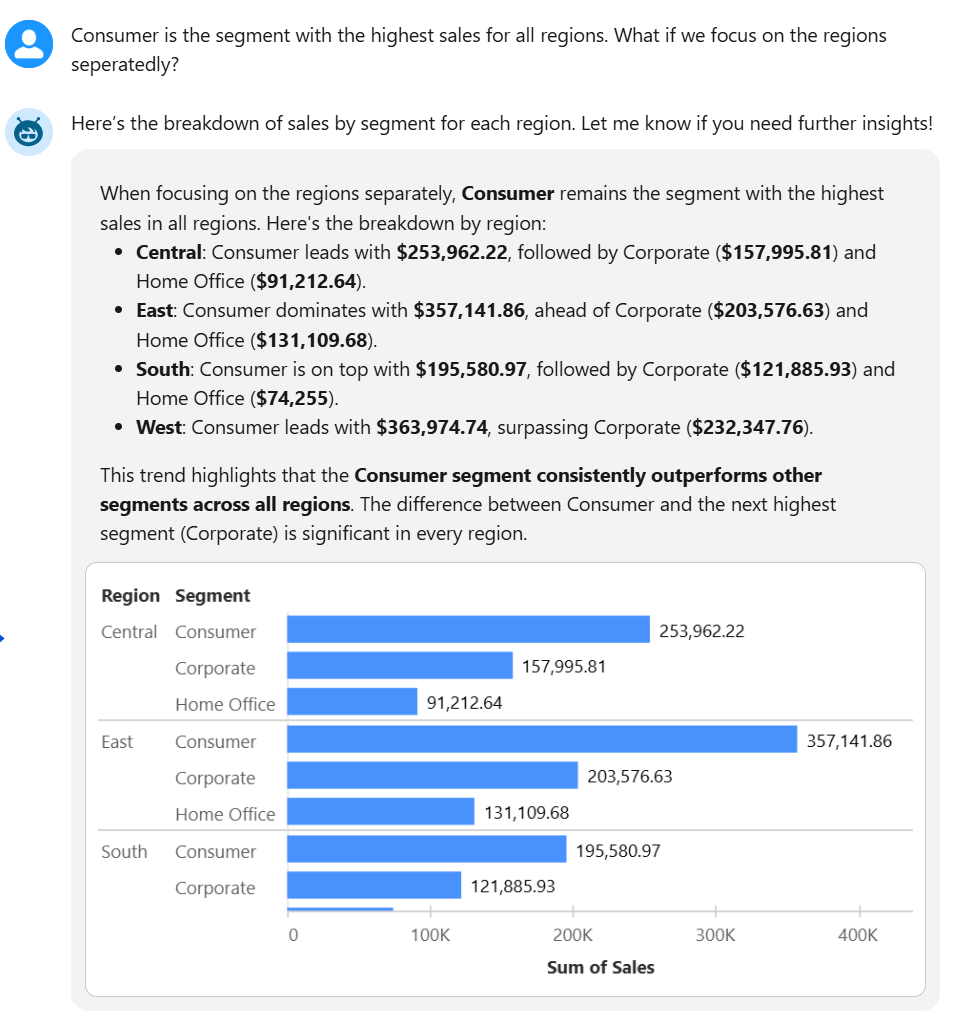
We recently had our introduction to Tableau Next. What made the session even more exciting was that Tom Brown, the founder of The Information Lab, was also there and he shared with us a lot of meaningful tips and perspectives throughout, which added great value to the experience. 😁
But first: what is Tableau Next?
It is Salesforce’s next-generation analytics platform that brings AI-powered insights directly into your workflow. It combines a semantic layer, intelligent agents, and a flexible architecture to deliver trusted, contextual, and actionable analytics seamlessly integrated with Salesforce, helping users make faster and smarter decisions.
It’s also worth noting that Tableau Next is very different from Tableau Desktop. While Desktop is a full-featured tool, Tableau Next is cloud-based and runs directly in the browser. At the moment, it offers a smaller set of visualization options and features compared to the desktop version, so you’ll find only a limited number of chart types and ways to configure them.
There are plenty of directions I could take with this blog, but I want to focus on one specific aspect: Tableau’s integrated AI Agent.
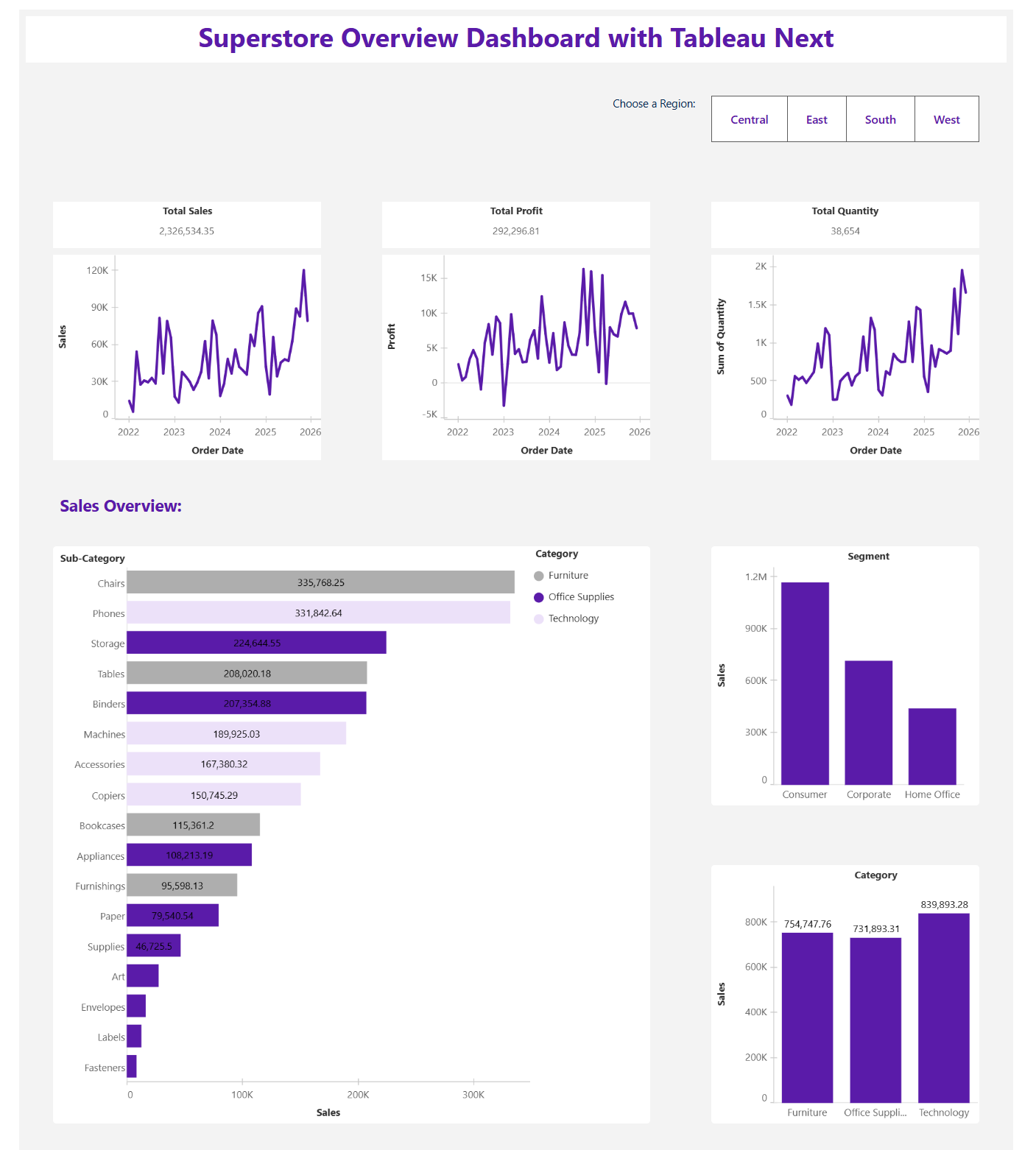
Here is the first dashboard I've created in Tableau Next using the Superstore US dataset:
And here are some questions I've asked Agentforce for you to have an idea how it all works: