Let's talk about the parse tools in Alteryx. There are a total of 4 tools in this category, but for this blog I’m going to focus on the three that I've used so far. They are:
- DateTime
- RegEx
- Text to Columns
But first: what does “Parse” actually mean?
Before diving in, let’s quickly clarify what “parse” actually means. I wasn’t familiar with this word at first and had to look it up myself!
In simple terms, to parse means to convert data from one format to another. In Alteryx, parsing tools are all about transforming and extracting information from text or date fields so you can clean, format, or analyze your data more easily.
A Quick Tip: In Alteryx, you can click on any tool and select “Open Example” to see a clear demonstration of how that tool works. The examples are easy to follow and well-explained.
- DateTime
Alteryx can only recognize one specific internal Date/Time format, which looks like this: yyyy-MM-dd hh:mm:ss (example: 2022-01-16 10:22:00). So if your date field does not have this configuration, you'll need to use this tool to change it. Only with standardized data you'll be able to perform calculations, group and reformat your dates.
Here is an example of how this tool works and its input and output:
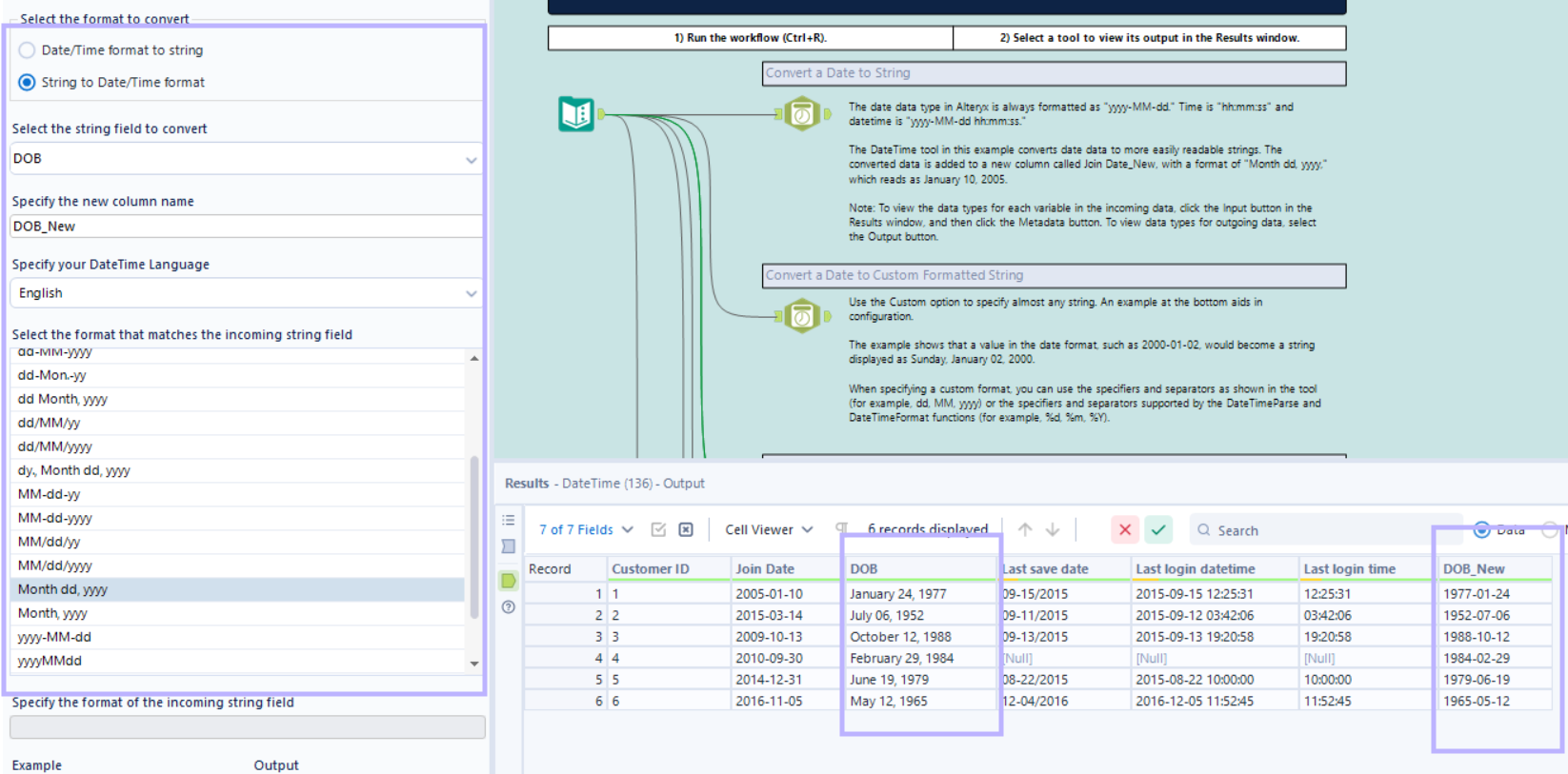
You can also use this tool to convert a date to string or a custtom formatted string.
- RegEx
A regular expression is a special text string for describing a search pattern. It looks really dificult and intimidating at first but there are a lot of content in theinternet that can help you with those expressions. You can use these expressions to find exactly what you need.
The 4 RegEx tool methods you can use are:
2.1 Parse – extracts matching parts of the text into new fields.
2.2 Replace – swaps out matched text with something else.
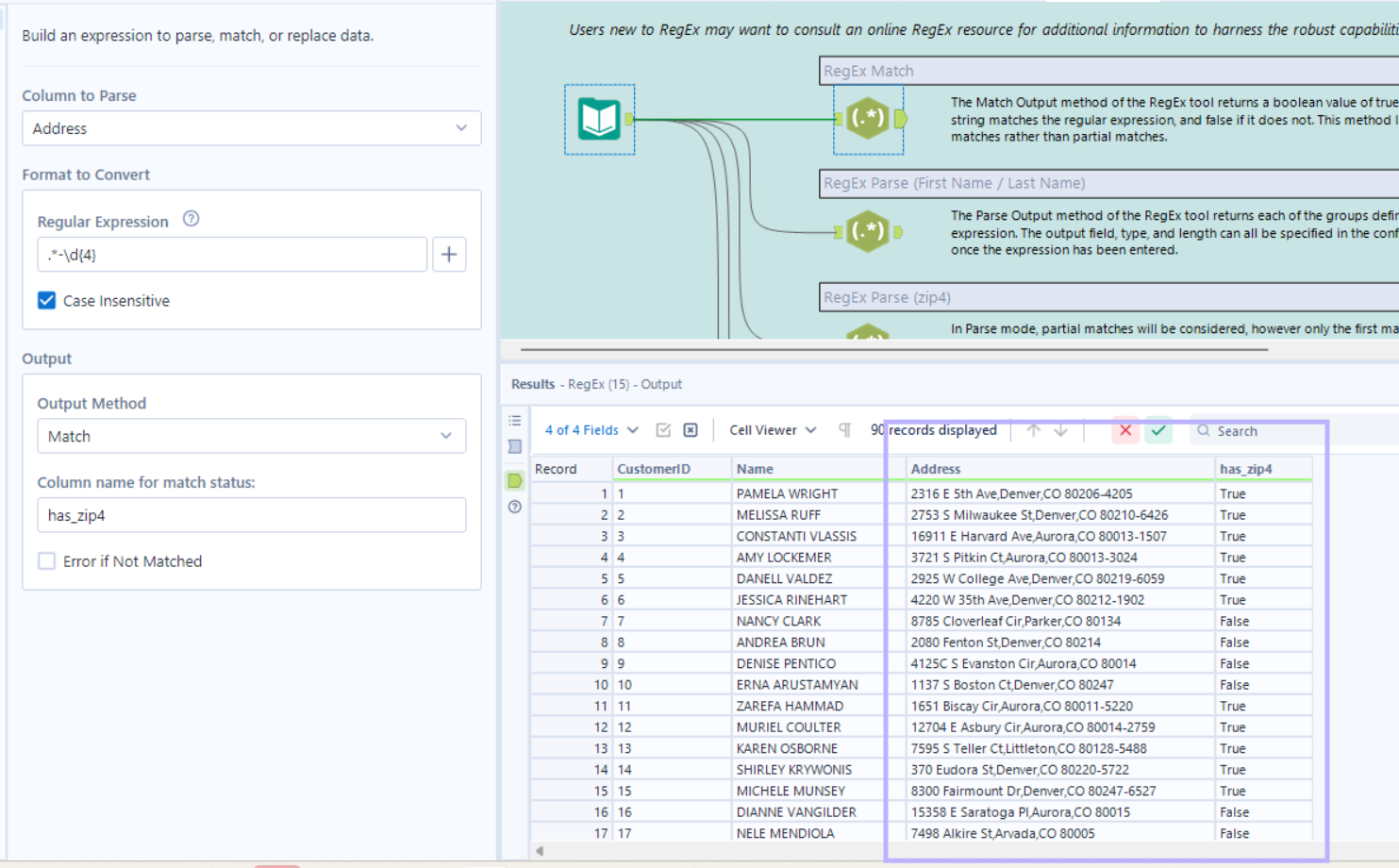
2.3 Match – returns a True/False result if the text matches your expression.
2.4 Tokenize – splits text into rows or columns based on a pattern.
Here is one example using the match option:
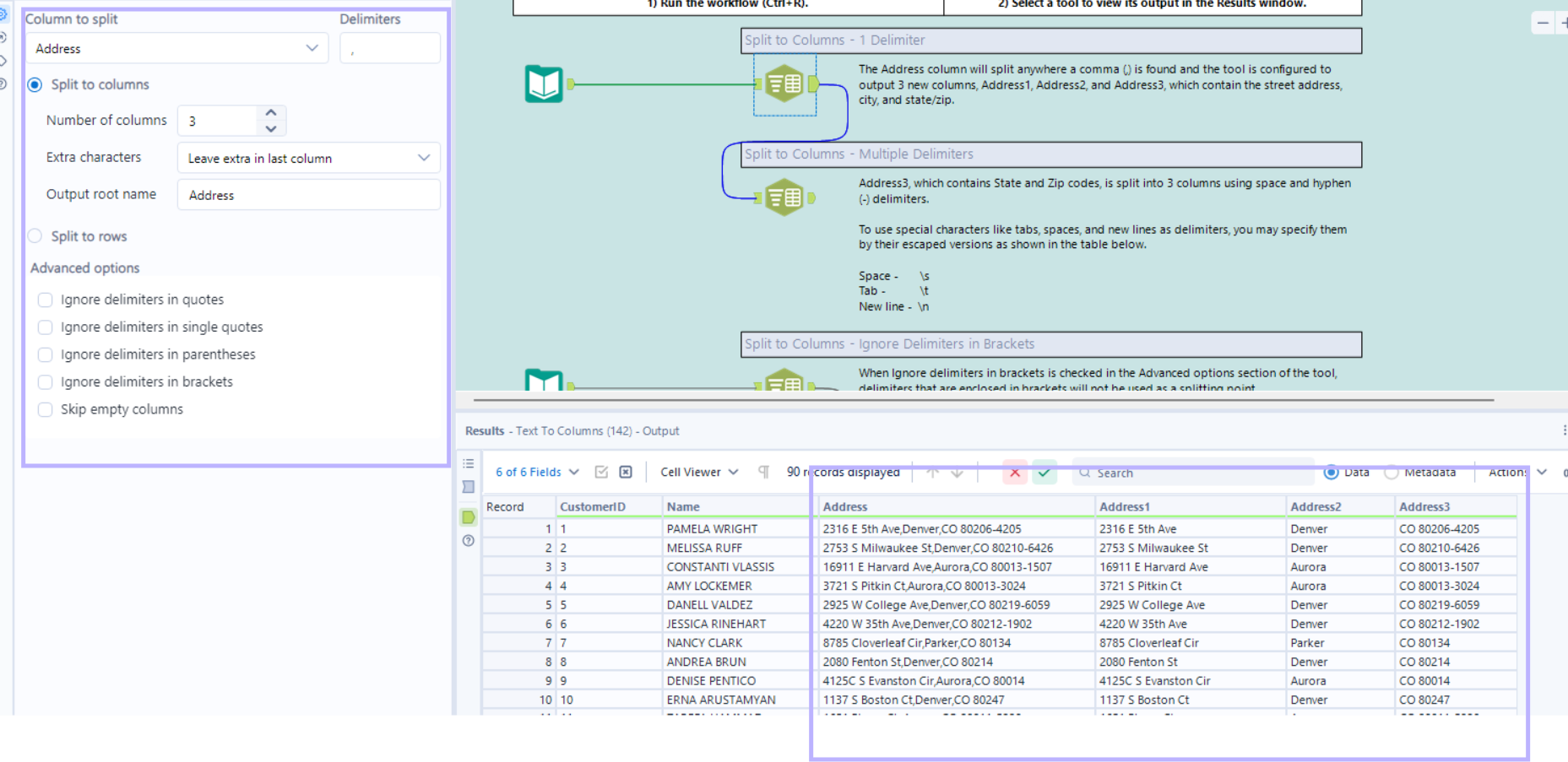
- Text to Columns
It's a simple one! This tool splits text from one column into multiple columns (or rows) based on a delimiter you choose.