


This blog is about introducing the Alteryx Weekly Challenges, where you can find them and how you can post by your solution to the community.
1️⃣ What are weekly challenges?
These is a series of excersises which would be published each week and the Alteryx community can solve them and also share their solutions. The purpose is to mimic and prepare the application of Alteryx for real-word prblems of data.
The challenges can be accessed via the following link: https://community.alteryx.com/t5/Weekly-Challenges/bd-p/weeklychallenge#post_time|solved-and-unsolved||1
As of October 9th, 2025, there are already 500 challenges available:
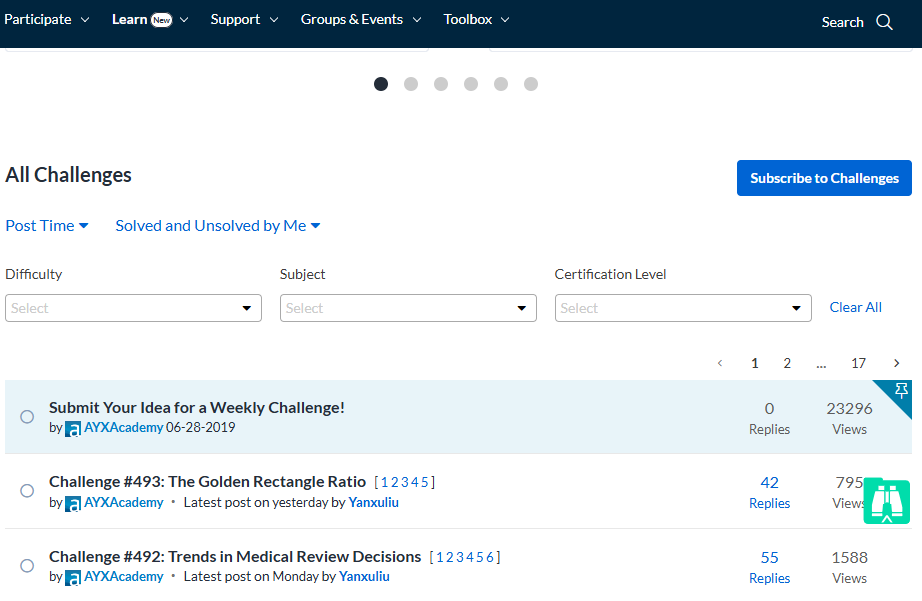
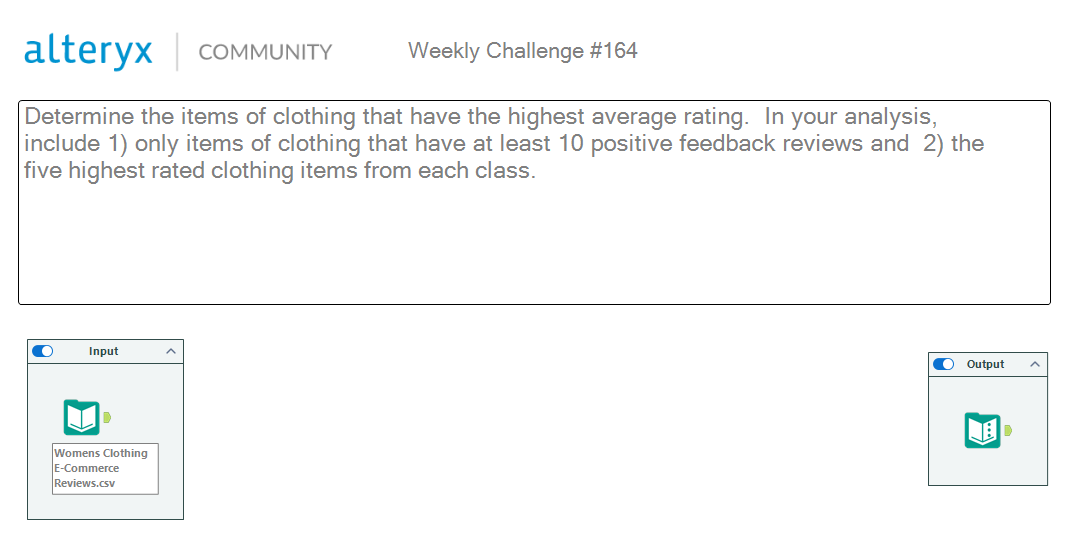
Each task has starter and solution .yxzp files (a workflow package that includes an Alteryx workflow). By opening the the starter file, there is also a short description of the problem as well an input element. Moreover, there exist an example of an expected output, which can help to understand the problem description.
Here an example of how it in Alteryx looks like:
2️⃣How to share your solution?
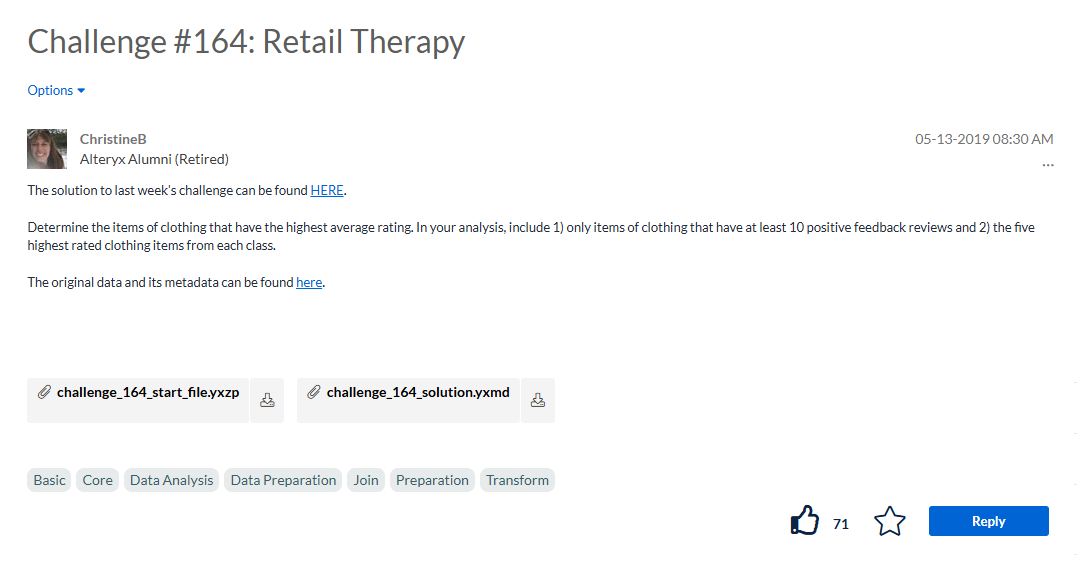
By opening each challege, you'll see a "Reply" button to that specific challenge:
By clicking on it, a kind of "Reply Editor" will appears:
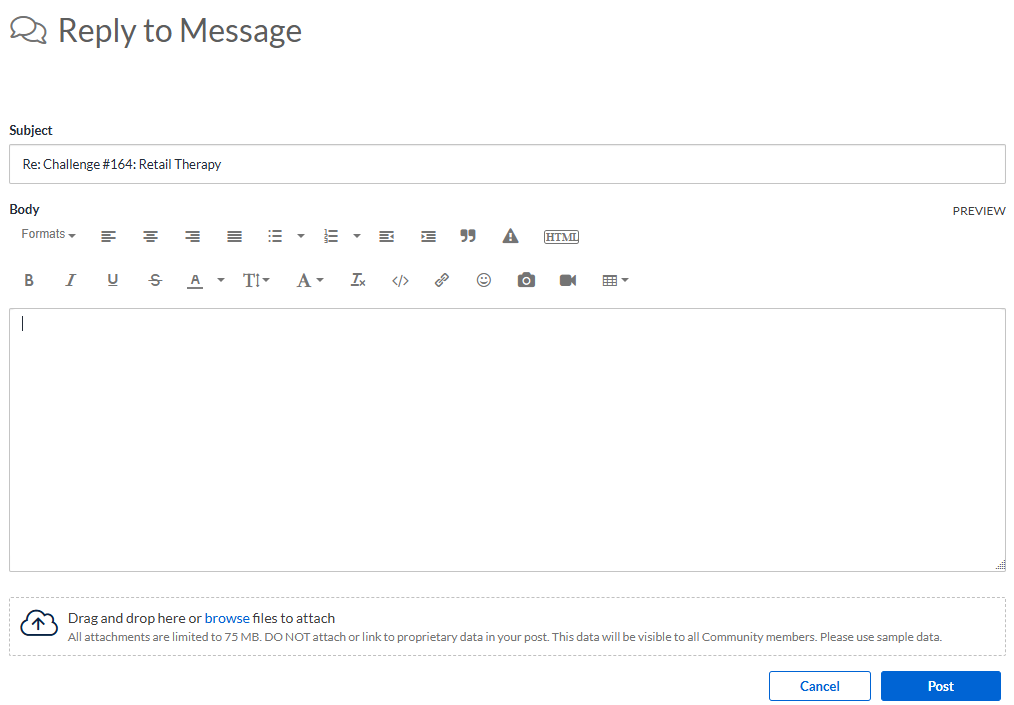
Via this editor you can share your solution. There is an area to drag and drop file solution. In the editor area, you can share an screenshot of the solution. Don't forget to wrap it in an spoiler tag. To apply the spoiler tag click on the gray triangle icon with the exclamation mark, and insert your solution content (screenshots or any other explanations) inside.
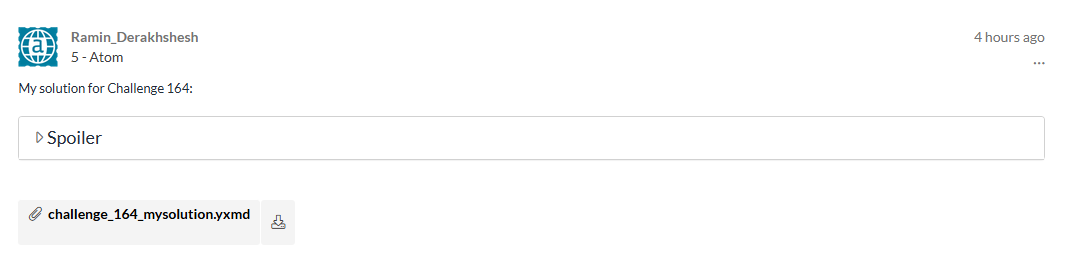
By using the spoiler feature, your post in the community will appear as follows:
Enjoy the challenges, have fun experimenting, and keep learning something new each week!